

Logo

Find step-by-step guides, troubleshooting tips, and feature explainers to get the most out of our platform.

Can I mark my Trainers as accredited for specific units?

Full Qualification and Skill Sets

Can I mark my Trainers as accredited for specific units?

You sure can! Using the Trainers and Assessors menu in PowerPro

Last updated on 17 Apr, 2025

Image


From PowerPro's 'Home' menu we're going to select 'Trainers Assessors' this will open the Trainers and Assessors window 


Image

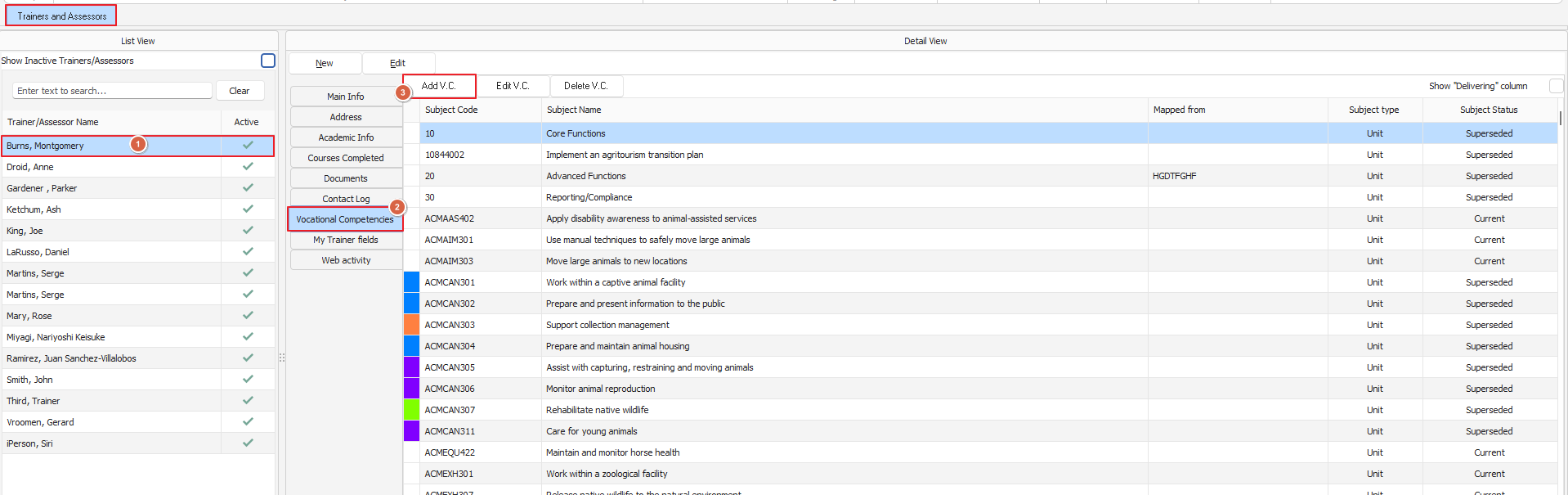
From here we're going to select our Trainer, go to the 'Vocational Competencies' menu and click 'Add V.C.' this will open the 'Trainer: Add Vocational Competencies' window
Image

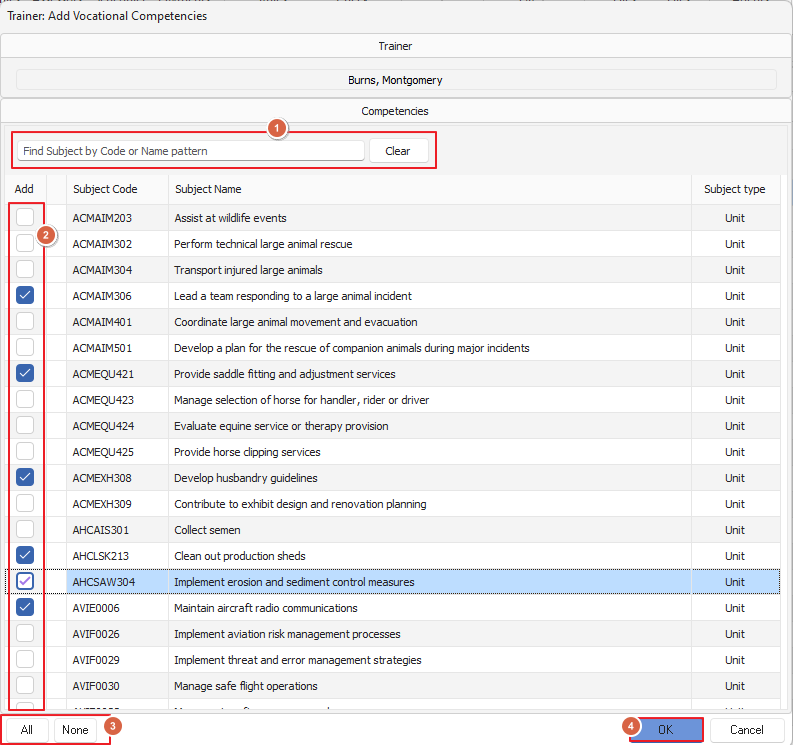
You can search for the unit/s required or manually scroll to locate it, once you've got your unit/s make sure you tick the box in the add column (you can do multiples!) once done click 'OK' and you're all set! 

Did you find this article helpful?
Previous

What do I do if my skillset/qualification name is too long when setting up its Qualification Rule

Next