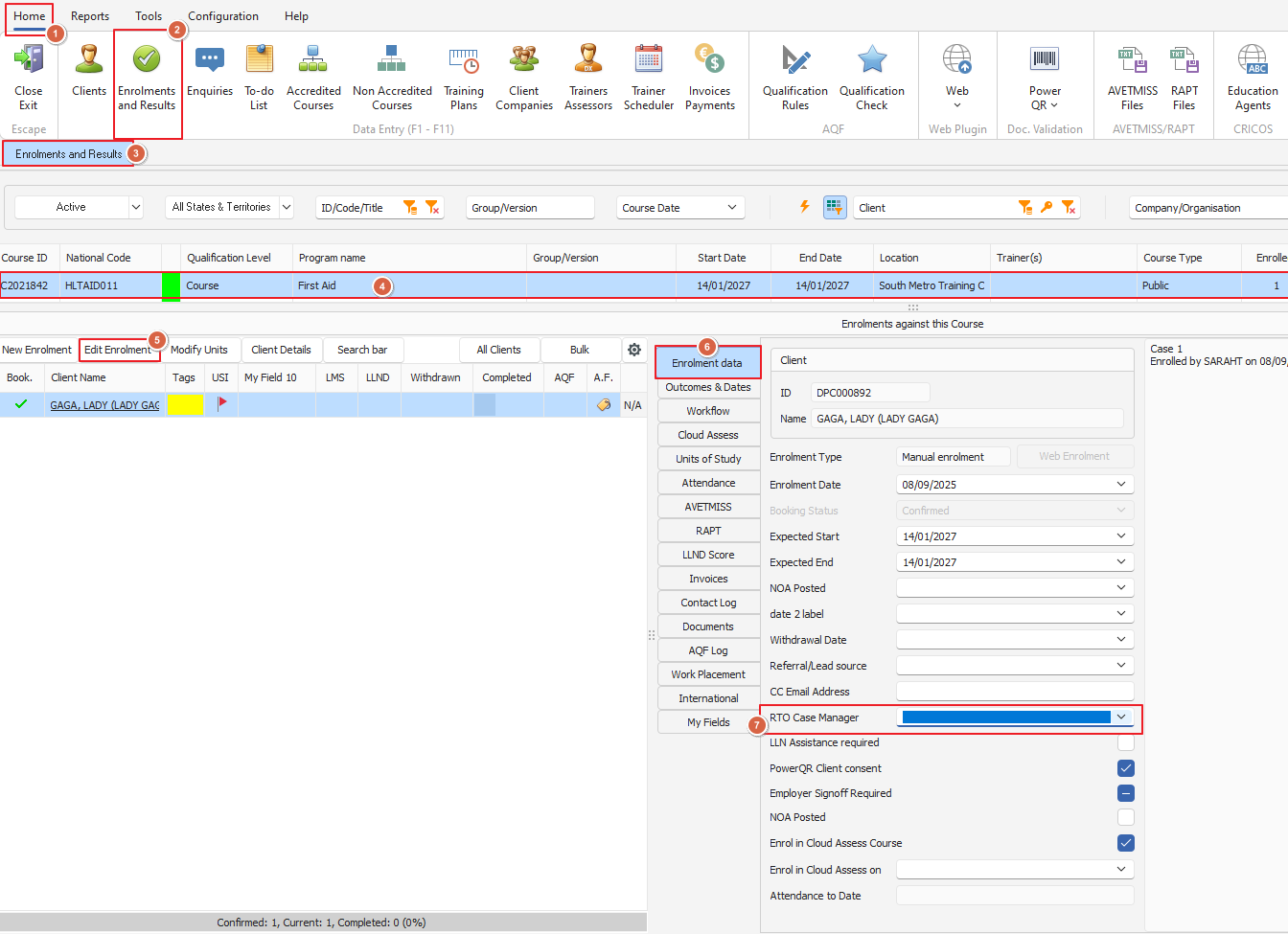
A case manager can be assigned to an enrolment, to enable large teams to allocate specific case managers against specific enrolments
The field will display a drop down of current PowerPro users, it is a manually entered field and will not automatically populate data
The field can be accessed and changed at any time, using the 'RTO Case Manager' field from the 'Enrolments and Results' view
See below screenshot for example and steps: