

The first concept to introduce here is the one of "Master Courses", these are used as models or templates which PowerPro users can use to clone from to create different intakes or course offers. "Master Courses" exist for cloning purposes only and will not take any enrolments.
Let's take a simple single unit short course, such as a First Aid Course as our example
Let's assume your RTO has never delivered this course. We suggest creating the Master Course first:
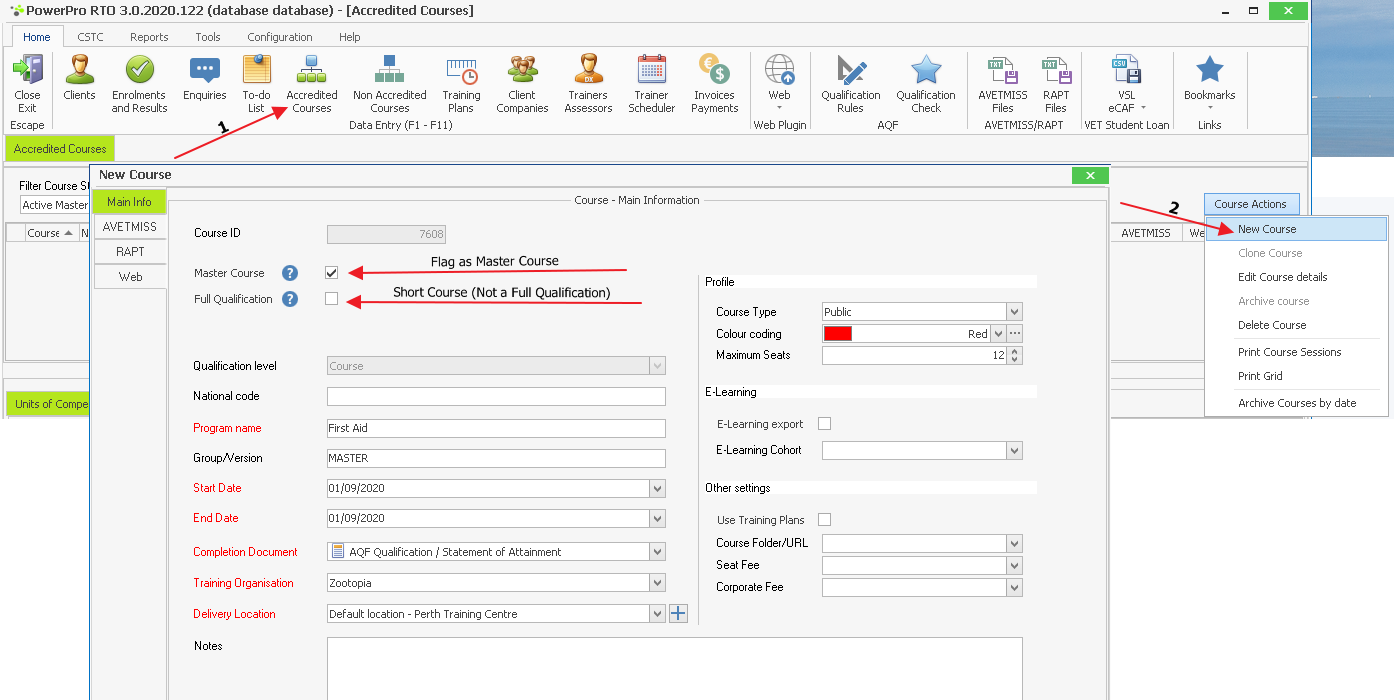
Home Menu>Accredited Courses
Course Actions>New Course
Edit the Master Course details such as name, duration (start date and end date), delivery location, etc. These will be the default values for any clones of this Master Course.
Once you press OK, the Master Course has been created and you should see it in the Master Courses list:
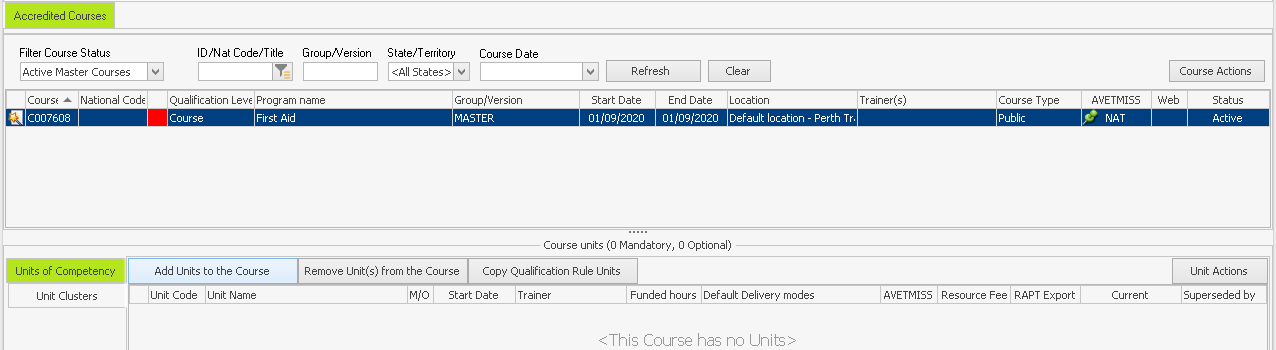
Looking good, however, as you can see from the image above, our brand new Master Course has no units of competency attached to it.
A course without units is like a meal without food! Let's add the First Aid unit to our Master Course:
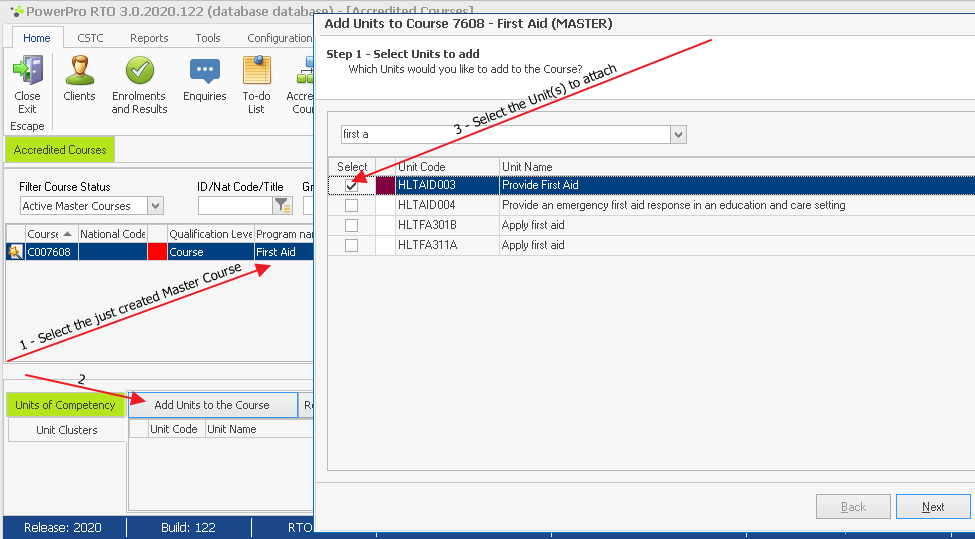
Completing the above "Add Units to Course" wizard will now show the unit attached to your Master Course:
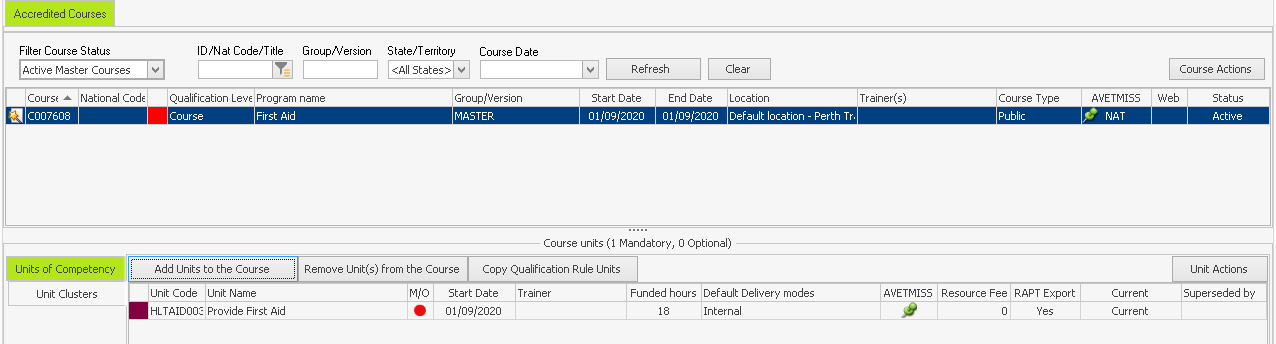
The Master Course has now been created. You may now clone it to create a course offer by following these simple instructions