

IMPORTANT NOTE: TO REQUEST AN ACCESS KEY YOU WILL NEED TO BE LOGGED INTO POWERPRO AS USER RTOADM
1. When logged into PowerPro use the 'Configuration' menu and press the 'Request Access Key' button as shown below

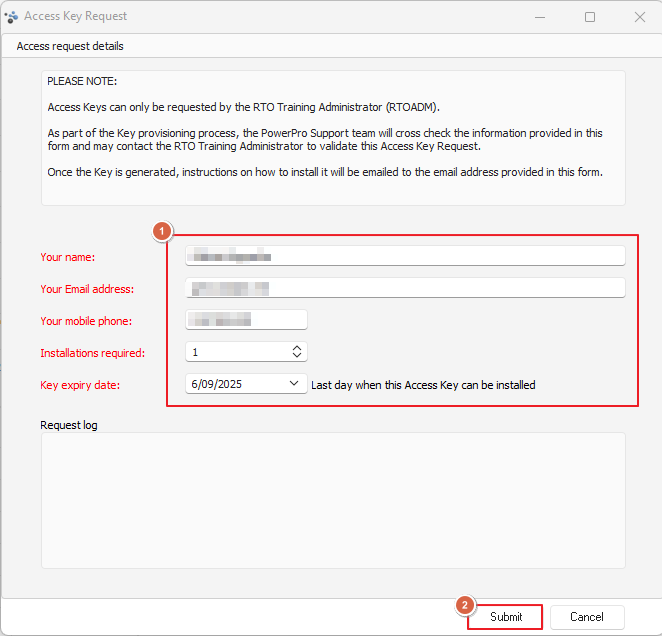
2. The following window will pop-up
Fill in your (the requestors) details and the number of installations you want the key to work for and if you require a particular date for keys to be active to then press submit when finished
3. PowerPro staff will email the requester instructions on how to activate the key, which also helps us to verify the request
4. You will then receive an SMS with the key