

PowerQR is a paid add on feature and requires QR credits to upload data to the PowerQR Validation platform.
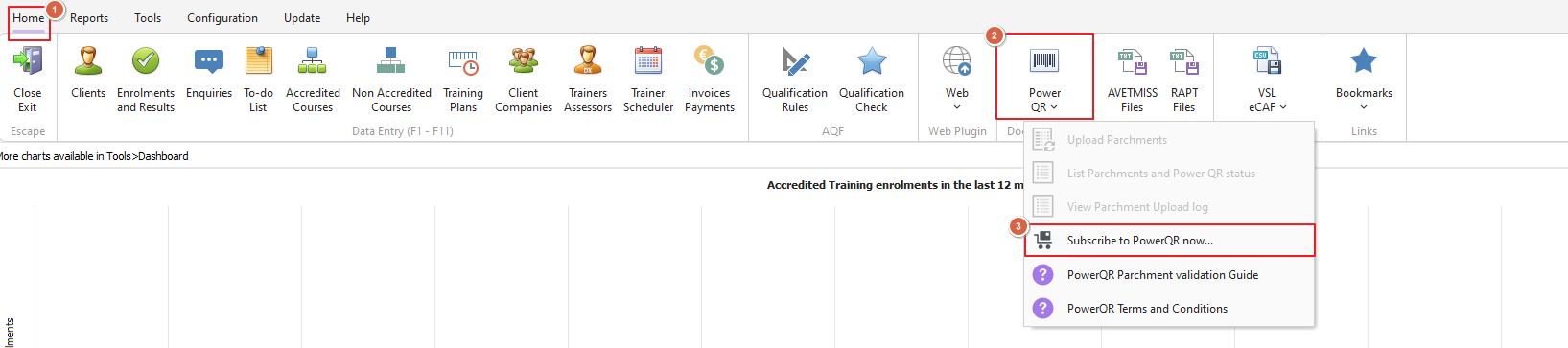
To subscribe to PowerQR, click on the PowerQR button under PowerPro's home menu and select the Subscribe to PowerQR now option:
The PowerQR Subscription Request page will open, please fill in all required information then proceed to payment and complete as required:
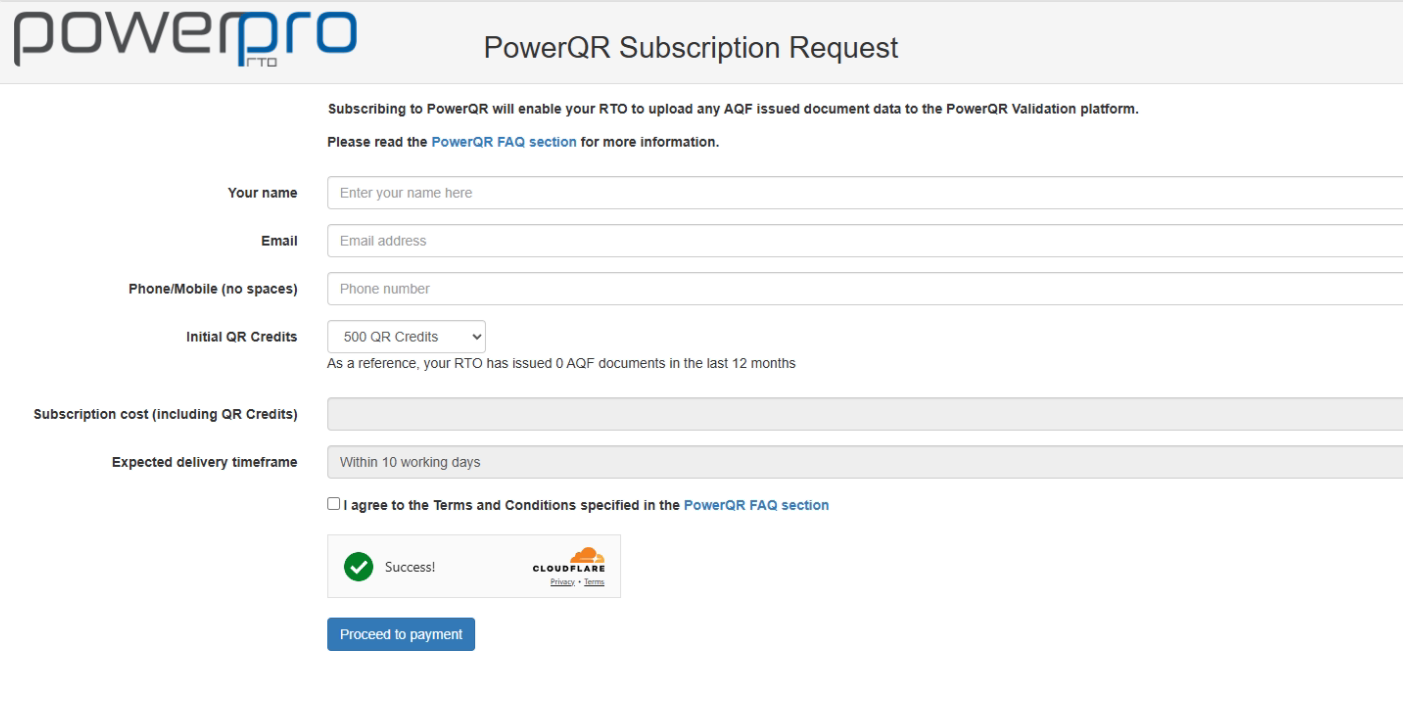
As an indication, the subscription form shows how many AQF documents your RTO has printed in the past 12 months, this allows the subscriber to gauge how many credits they might need to purchase
The PowerPro Support Team will then liaise with you for the PowerQR platform setup
More information on PowerQR can be found in this guide