
Logo

Find step-by-step guides, troubleshooting tips, and feature explainers to get the most out of our platform.

How is the certificate issued date field populated?

Enrolments and Results

How is the certificate issued date field populated?

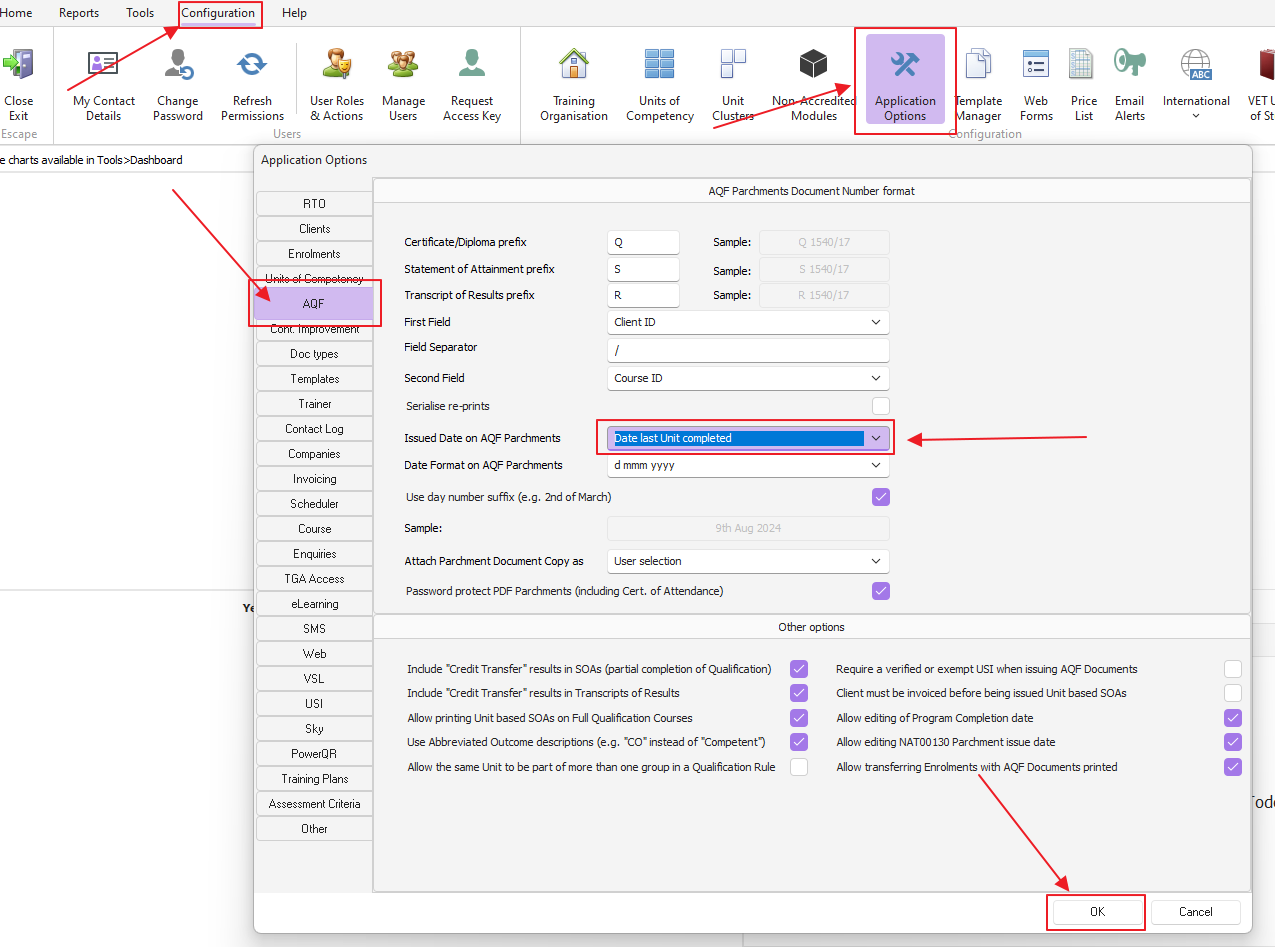
Configuration>Application Options>AQF>Date issued on Qualifications and SOAs

Last updated on 09 Aug, 2024

There are two options available:

  • Course completion date (set automatically as the date of last unit completed)

  • Date of print (date when the user prints the parchment)

You will find these options in the AQF tab in the application options as per image below:
Image


IMPORTANT NOTE: The document template does not need to be changed. This change only applies after restarting PowerPro (log out and log back in to see the changes)

Did you find this article helpful?
Previous

How to create client tags

Next