

Firstly please note that you will need a Transactional Email Delivery Service that supports SMTP (simple Mail Transfer Protocol) some examples are MailGun, MailChimp and Brevo
Access the Configuration settings via the 'Tools Menu' then clicking 'Email in Bulk'

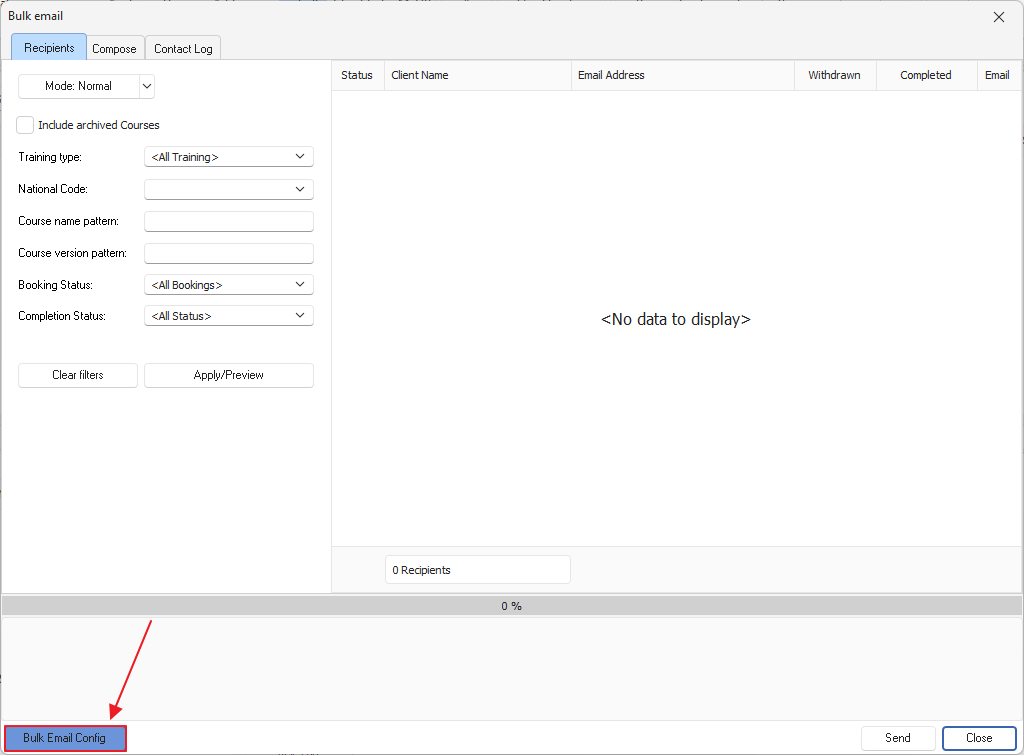
From here the Bulk email window will open and we need to click on 'Bulk Email Config' in the bottom left hand corner
You will now need to enter the Simple Mail Transfer Protocol (SMTP) values from your subscribed email service into the PowerPro Bulk Email configuration fields as per below example:
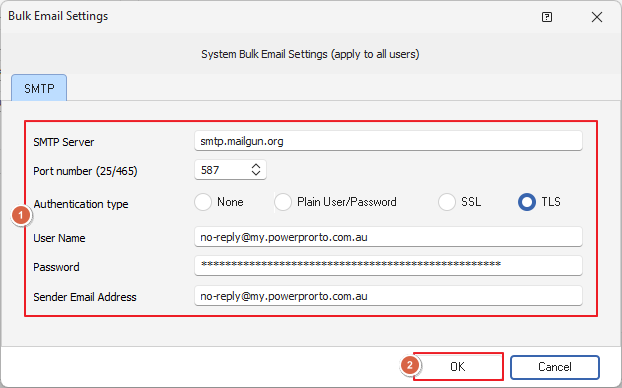
Once you've enter in the provided values, click okay and you're all set and ready to go