

Most RTOs use either MS Outlook or SMTP to email directly from PowerPro. The benefits of emailing directly from the platform are:
Ability to bulk email a student cohort while personalizing each email (using student name, course name, etc) by use of the email templates
Consistency on the information sent to students by use of the email templates
Keeping a copy of the email sent as a Contact Log (for each student) for easy communication tracking
In many cases, RTO admin users have more than one account set up in MS Outlook. PowerPro can be configured to use a specific Outlook account. To configure which to use, please open the Enrolments and Results window, right click on the relevant course and choose the "Email Clients" option:
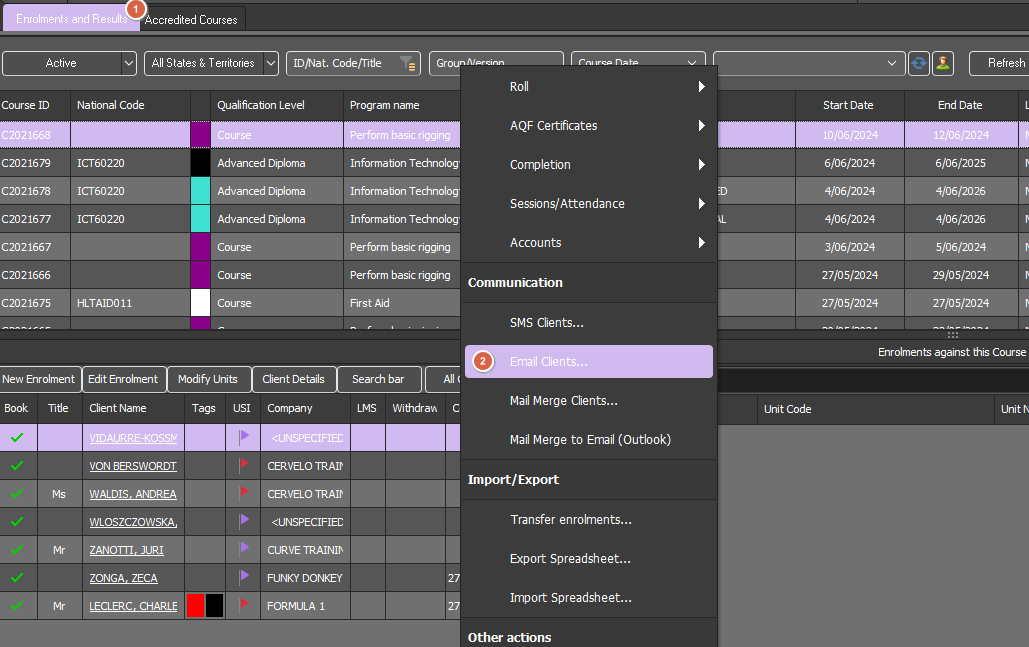
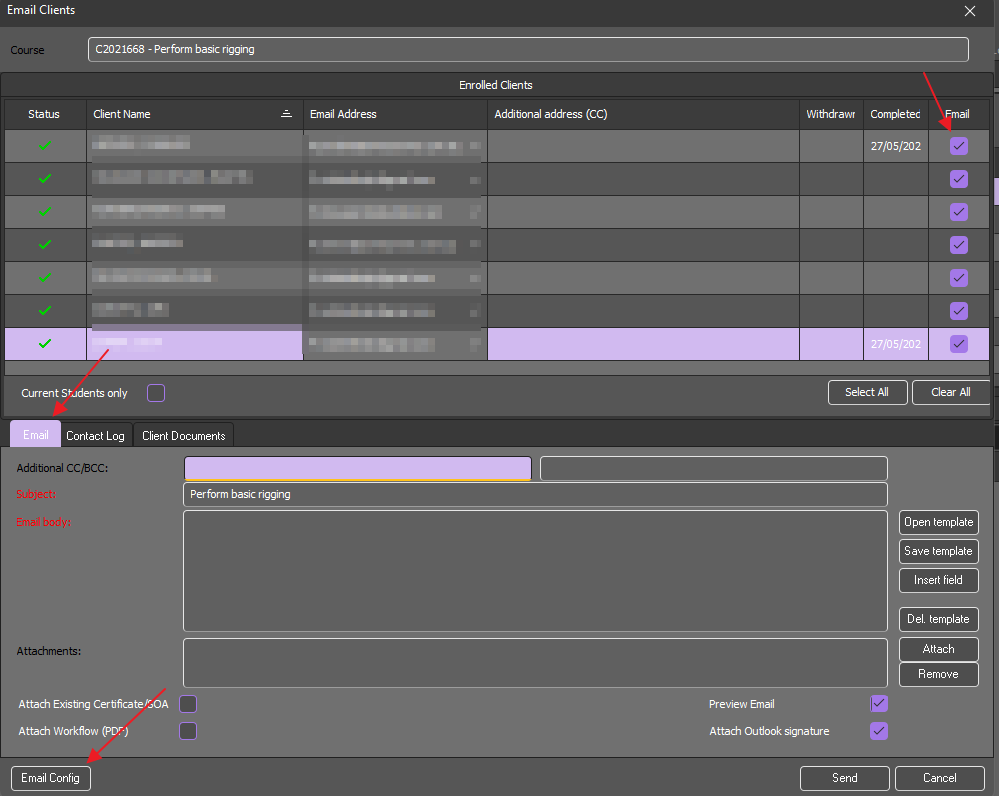
Then click on "Email Config" as per image above. The Email Settings window shows as follows:
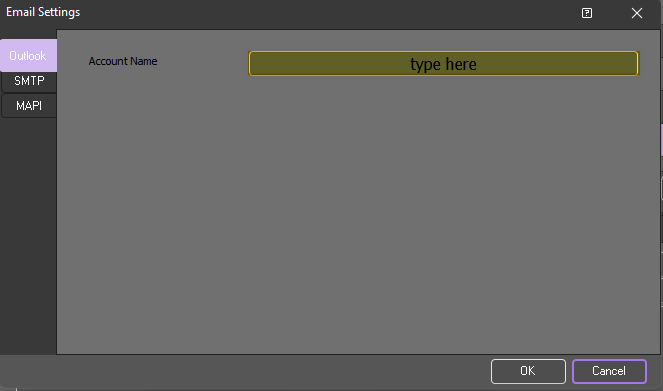
Once you put the preferred Outlook Account Name, click "OK" to confirm.
The Account name should be be sourced from Outlook, it can be found as follows:
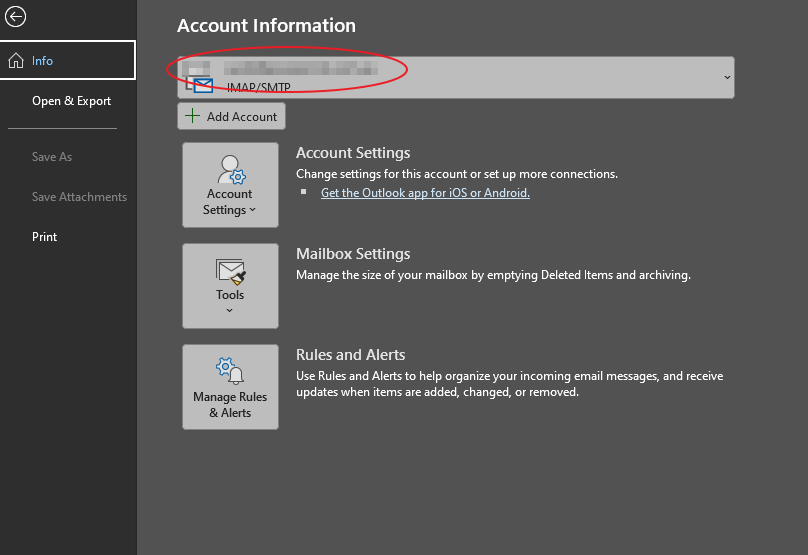
You should now be able to email your students directly from PowerPro!
Please do not hesitate to contact us if you run into any issues while setting this up