

NCVER: includes all courses with the AVETMISS reporting pin this is regardless of their AVETMISS format state
NAT: includes only courses with the AVETMISS reporting tick AND NAT state format
You can check these settings from the AVETMISS Options menu which is accessible via the AVETMISS files button on the home menu of PowerPro

Below is a screenshot showing the AVETMISS Options menu
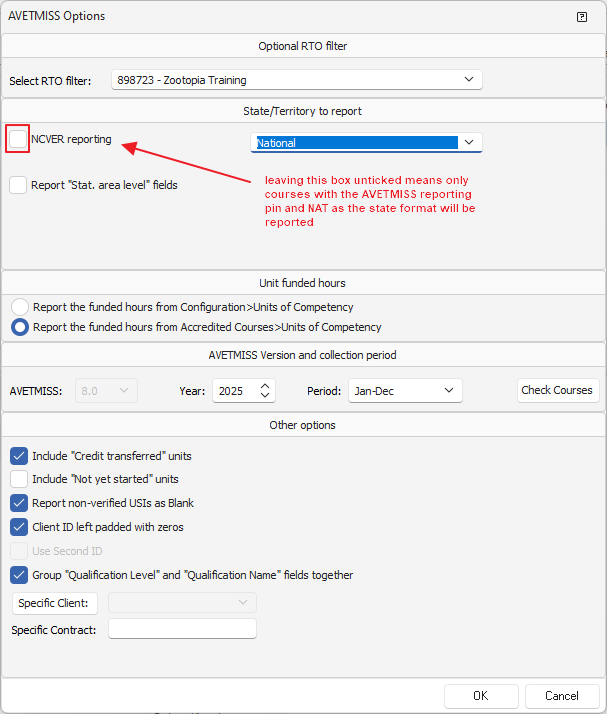
We have unticked the NCVER reporting option in this screenshot which means only courses with the AVETMISS reporting tick and NAT as the state format will be reported. You can check these from the Enrolments and Results window as seen below:
