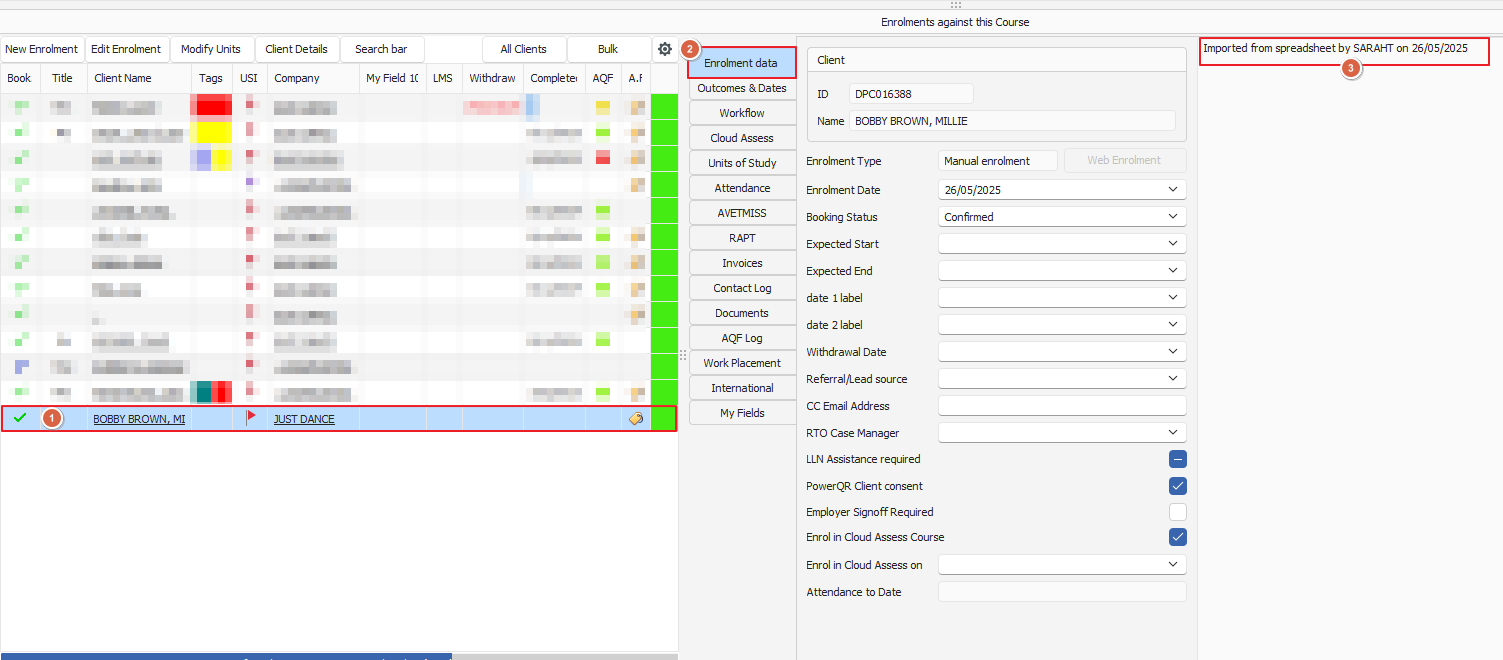
PowerPro can import students (and their unit/module results) from a MS Excel or CSV data file provided the layout as per samples below
Click here to view a sample MS Excel format file
Click here to view a sample CSV format file
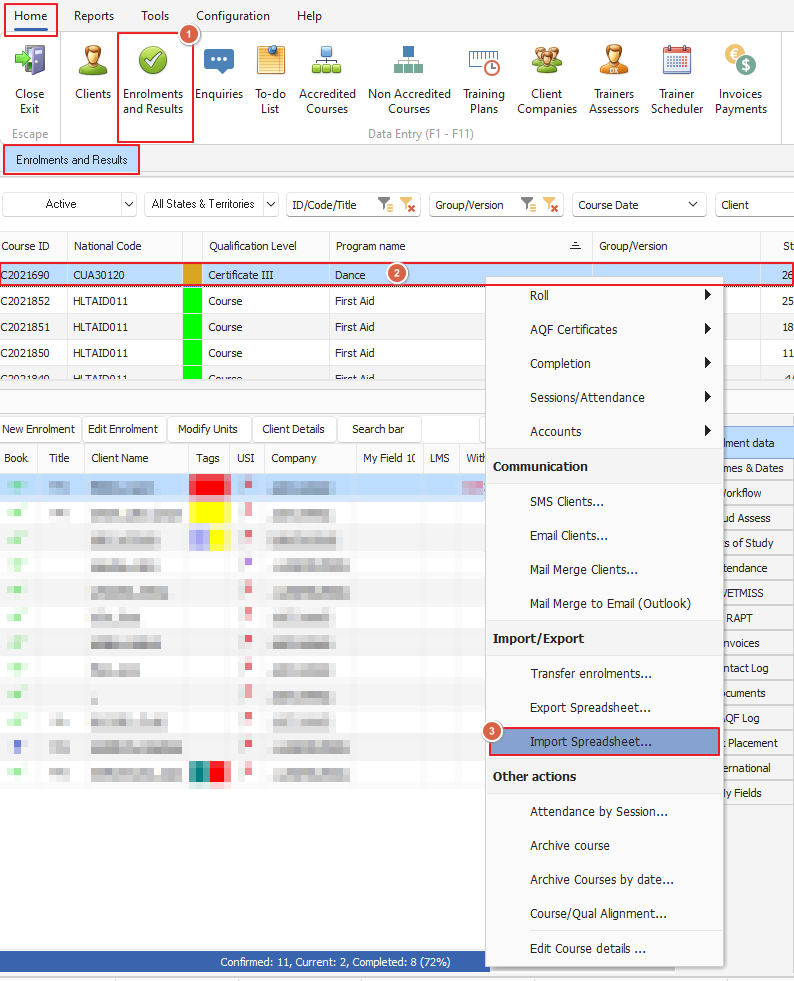
The import is a function built-in to the system and is launched from the Enrolments and Results window as follows:
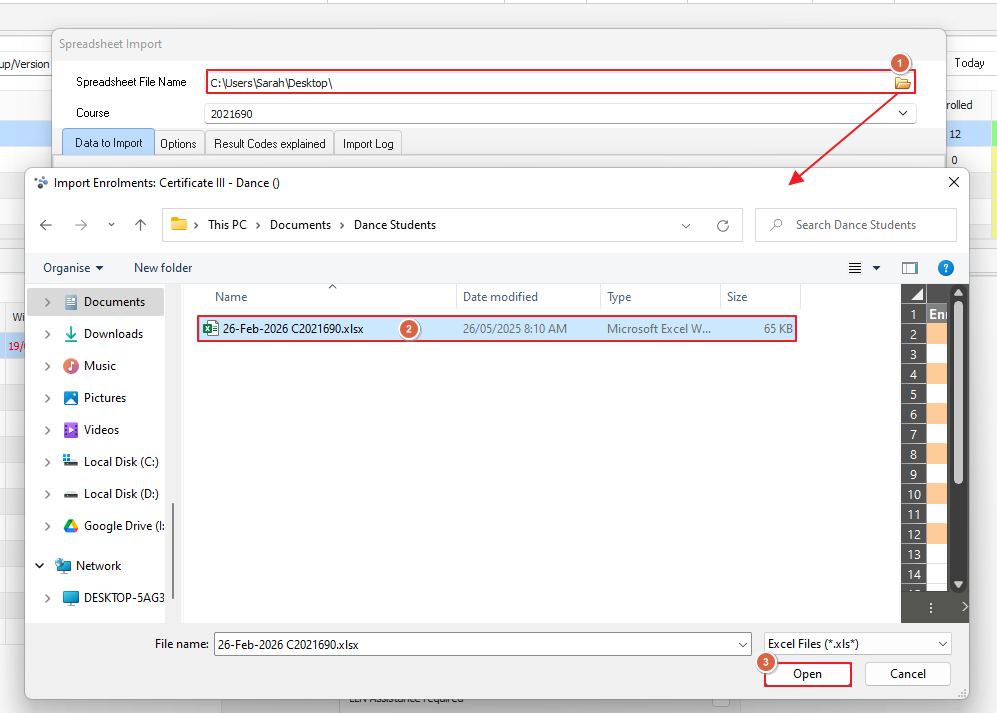
When the import window comes up, select the file to import:
Check the correct spreadsheet file name is importing and the course you're importing into
The data is then loaded into a grid on the screen, you can edit/fix the data in the grid if needed:
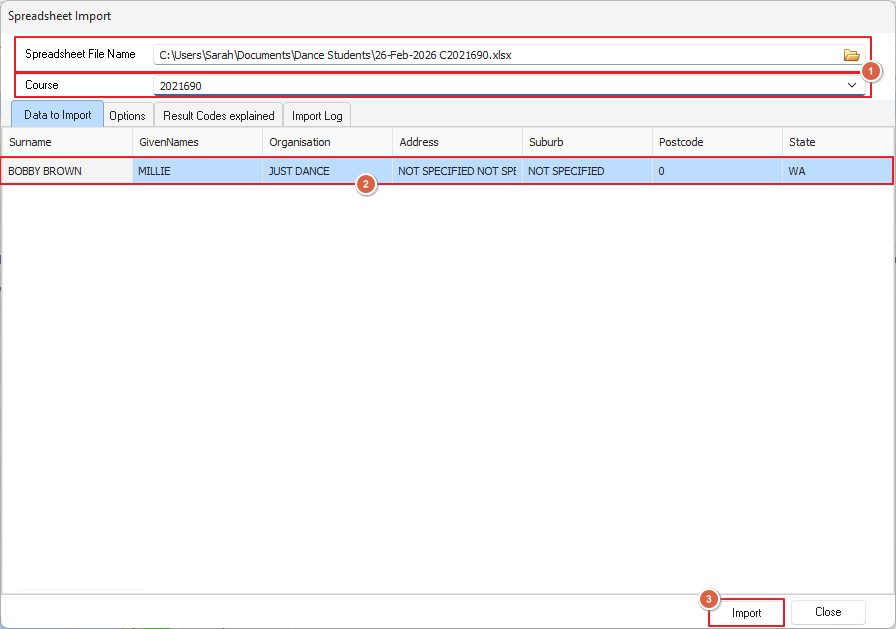
Once you press the import button, the students are created if a match is not found based on their names and dates of birth with existing students in PowerPro
The companies are also created if a match is not found based on the company name
The students are enrolled in the course and resulted accordingly: