
Logo

Find step-by-step guides, troubleshooting tips, and feature explainers to get the most out of our platform.

How do I enter a student with a long surname or given name?

Enrolments and Results

How do I enter a student with a long surname or given name?

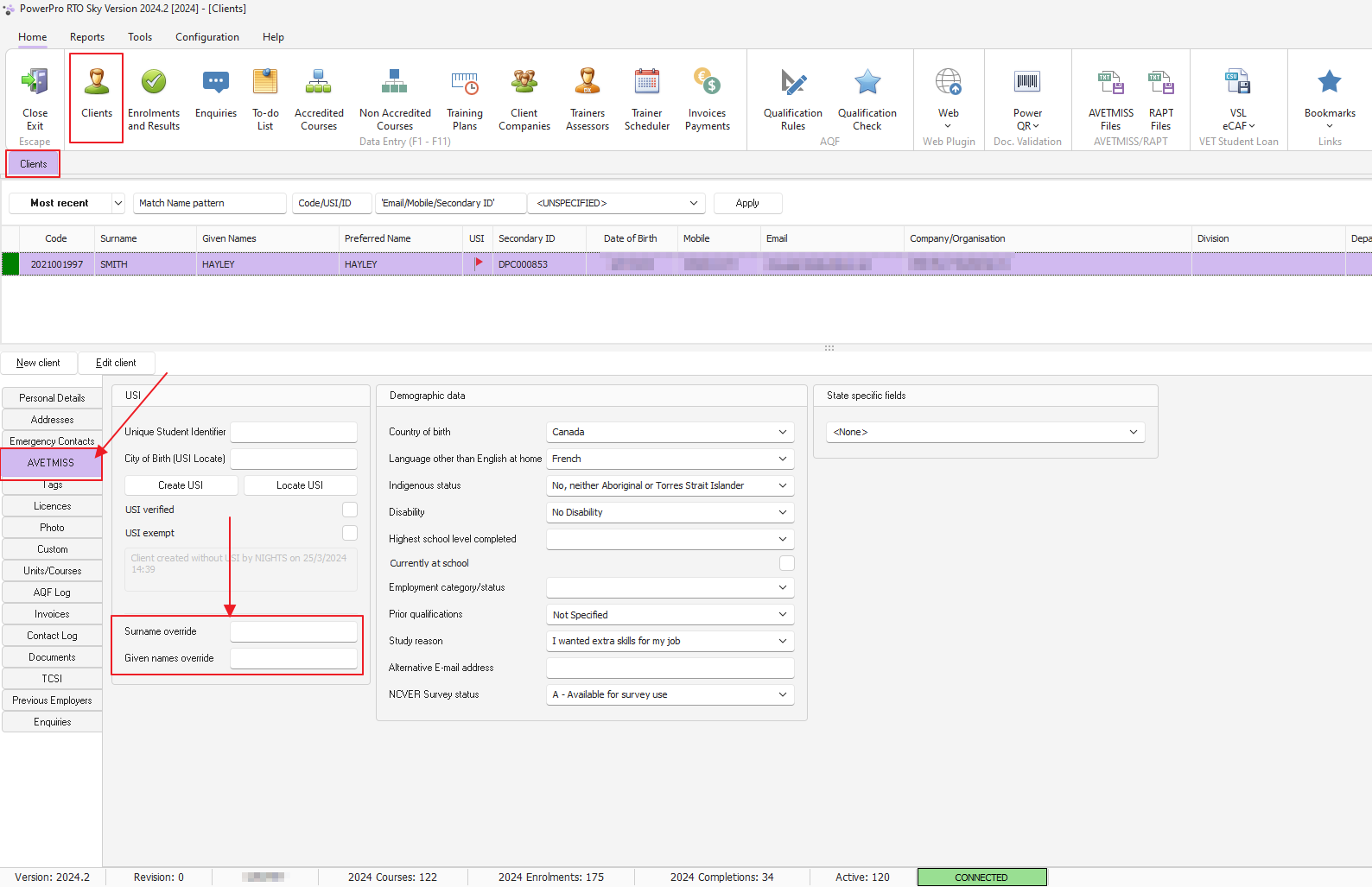
Use 'Client' > 'AVETMISS' > 'Override fields'

Last updated on 08 Aug, 2024

From the home menu, open the clients window, your selected client then open the AVETMISS tab

You will find the "Given Names Override" and the "Surname Override" fields at the location shown in the image below.
Use these fields whenever the client's name is too long to fit in the main tab fields.

IMPORTANT NOTE: PowerPro will use the name override fields (if not empty) when issuing AQF Parchments and when reporting AVETMISS and RAPT
Image
Did you find this article helpful?
Previous

How do I enter a client in my system that has a single name?

Next