
Logo

Find step-by-step guides, troubleshooting tips, and feature explainers to get the most out of our platform.

How do I enter a client in my system that has a single name?

Enrolments and Results

How do I enter a client in my system that has a single name?

Enter the single name in the surname field

Last updated on 08 Aug, 2024

Entering a single name for a client/student is simple:

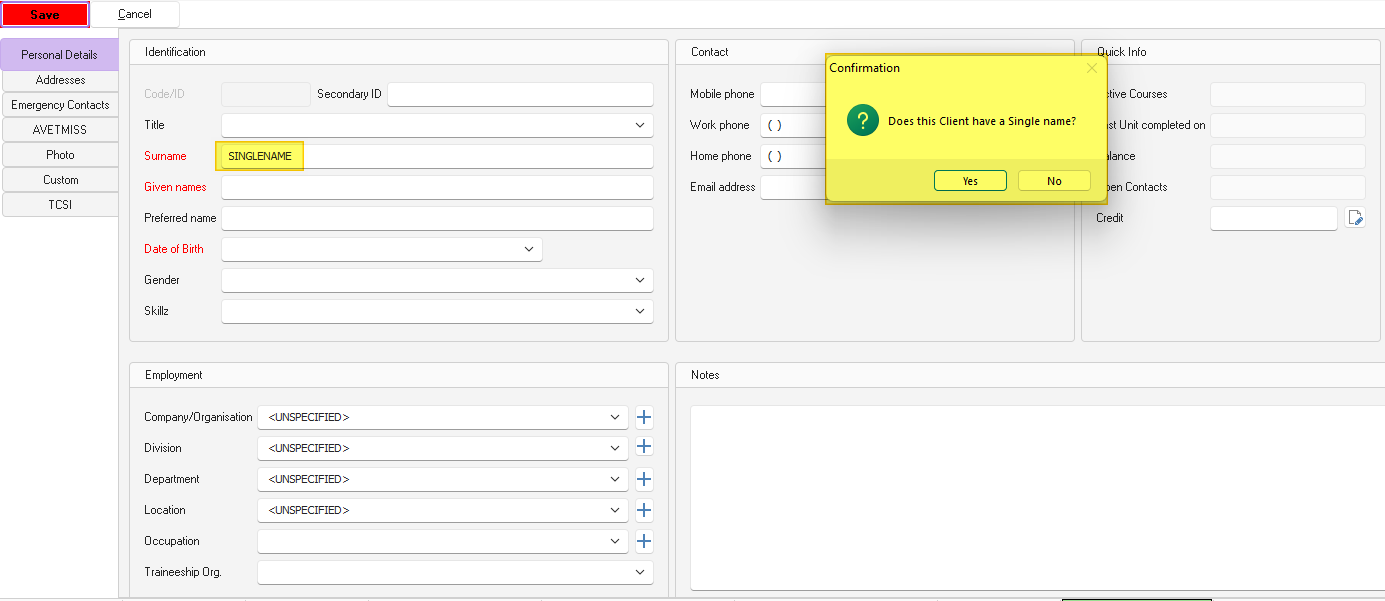
Fill out all mandatory fields in the client form entering the single name in the surname field but leaving in the given names field empty.
Once you press Save, the following popup messaged will appear: "Does this client have a single name?". Confirm that is the case and PowerPro will save the record accordingly.

Image
Did you find this article helpful?
Previous

How do I create an email template?

Next