

If the course status filter on the Enrolments & Results and the Accredited Courses windows is greyed out (like the below image), this is due to the user permissions settings

From the Configuration Menu, click on user roles tab and then under the role name assigned to the user, edit the 2. Enrolment to enable “view archived courses” tick this box
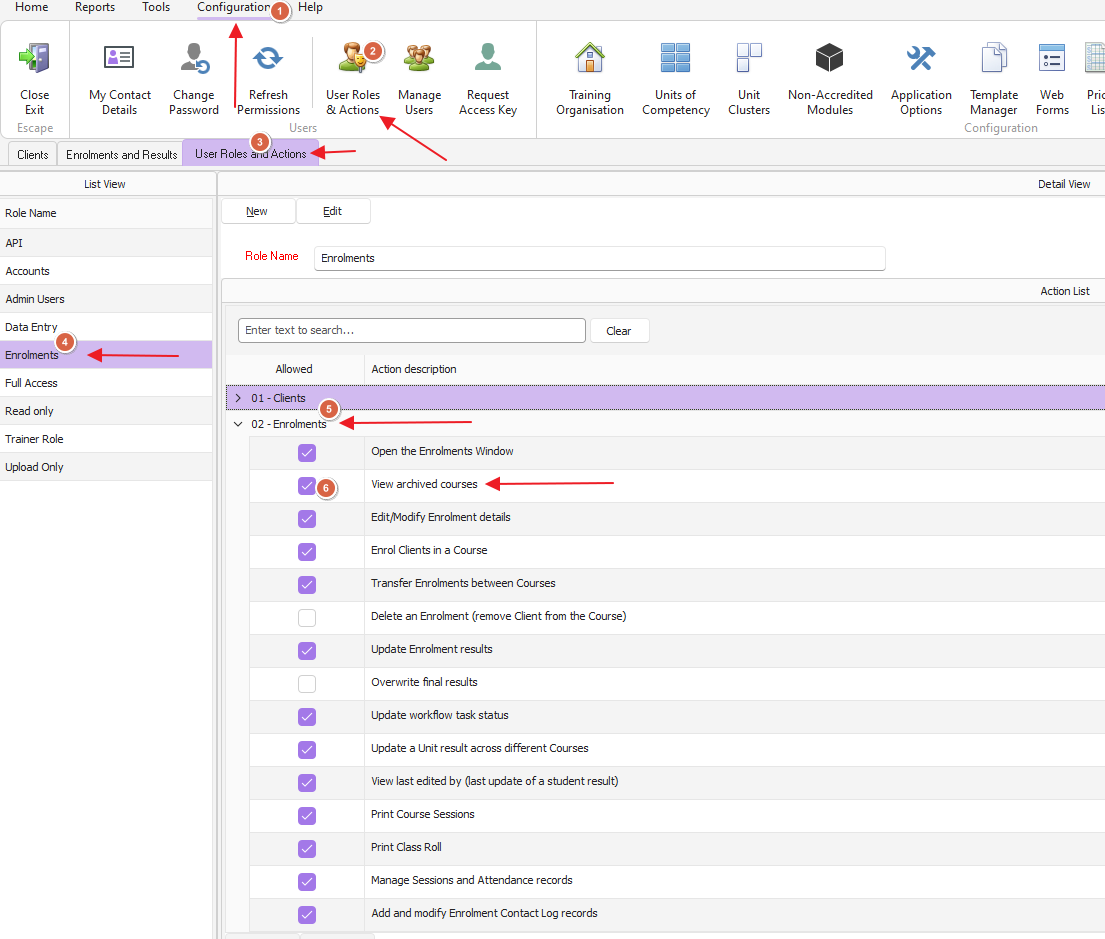
Save and then click the Refresh Permissions tab
Close both E&R & Accredited area and reopen to refresh these windows and you should now have access.