

To add or modify optional units for a client go to the Enrolments and Results window
Using any of the search fields locate the course required

Figure above – Enrolments & Results Course List Window
Select client to add or change optional units selection

Now click on the modify units button
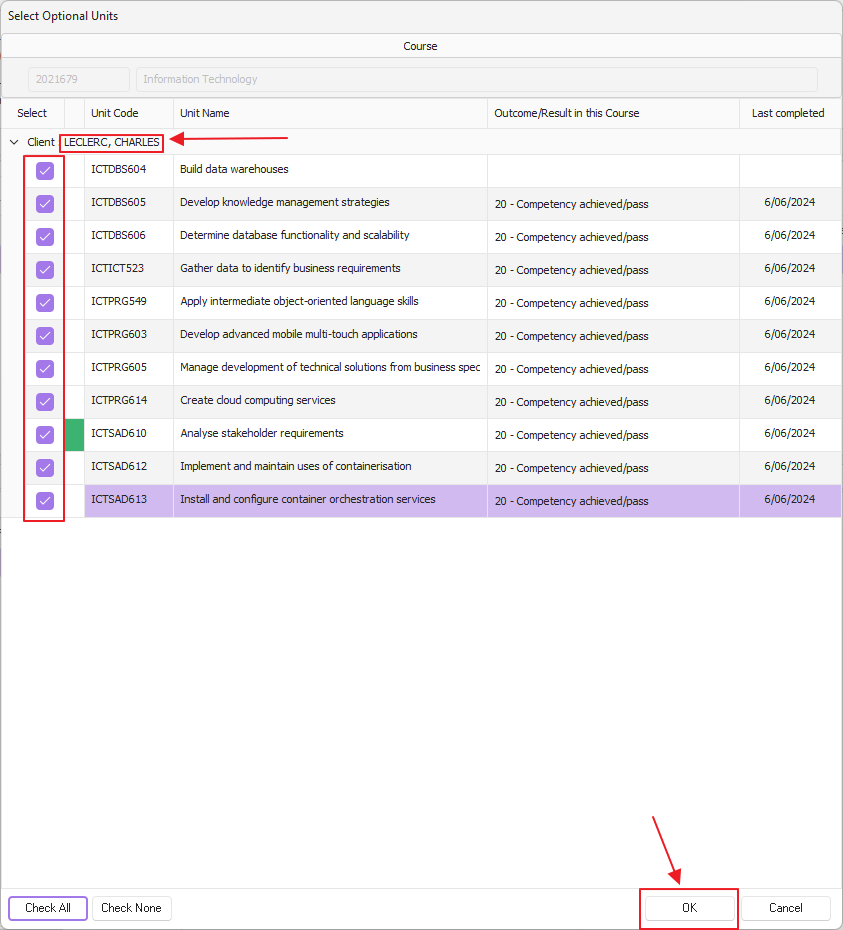
The Optional Units window will pop open, here you can now modify the units by adding or changing the selection
Once you've completed your selection click okay
IMPORTANT NOTE: if a unit has a result against it, the system will not allow you to deselect that unit, a message will appear to say that there is a final result on the unit. The result will need to be cleared before being able to remove the unit against the client