

Should you receive an error message like this when sending an SMS from PowerPro using ESendex:
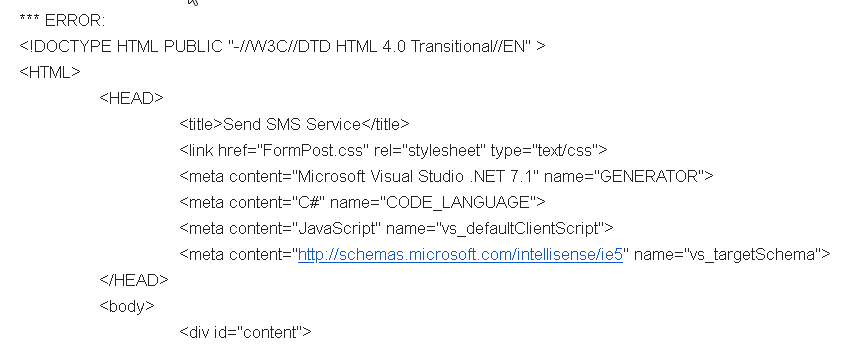
It means your ESendex API password does not match what is currently set in PowerPro
To fix this issue, login to the ESendex account and take the following steps:
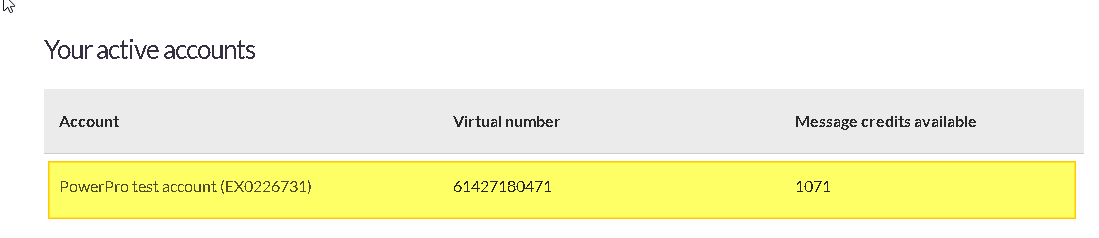
1. Click on the relevant account in the bottom of the ESendex web page
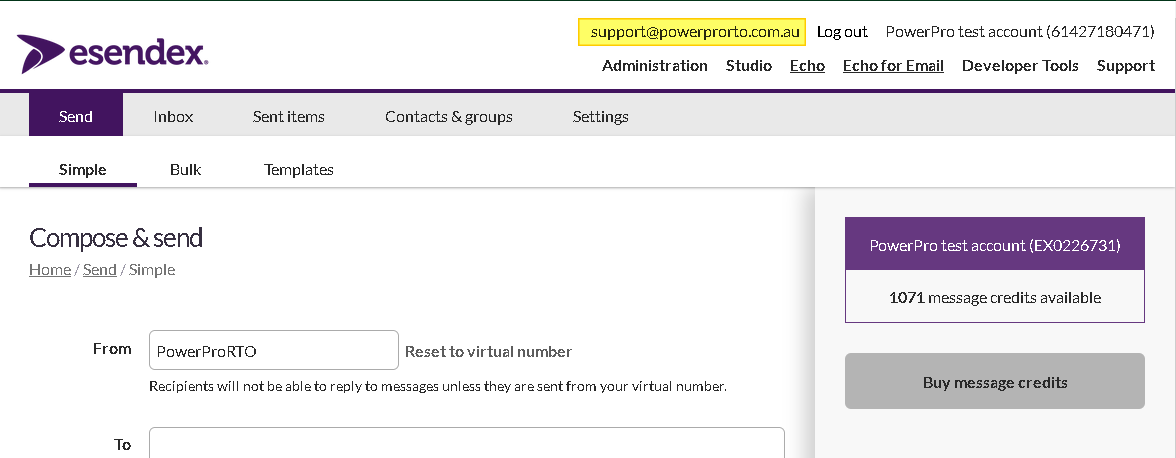
2. Click on your username (email address on top right as per image below)
3. Click on the generate a new API password as per image below
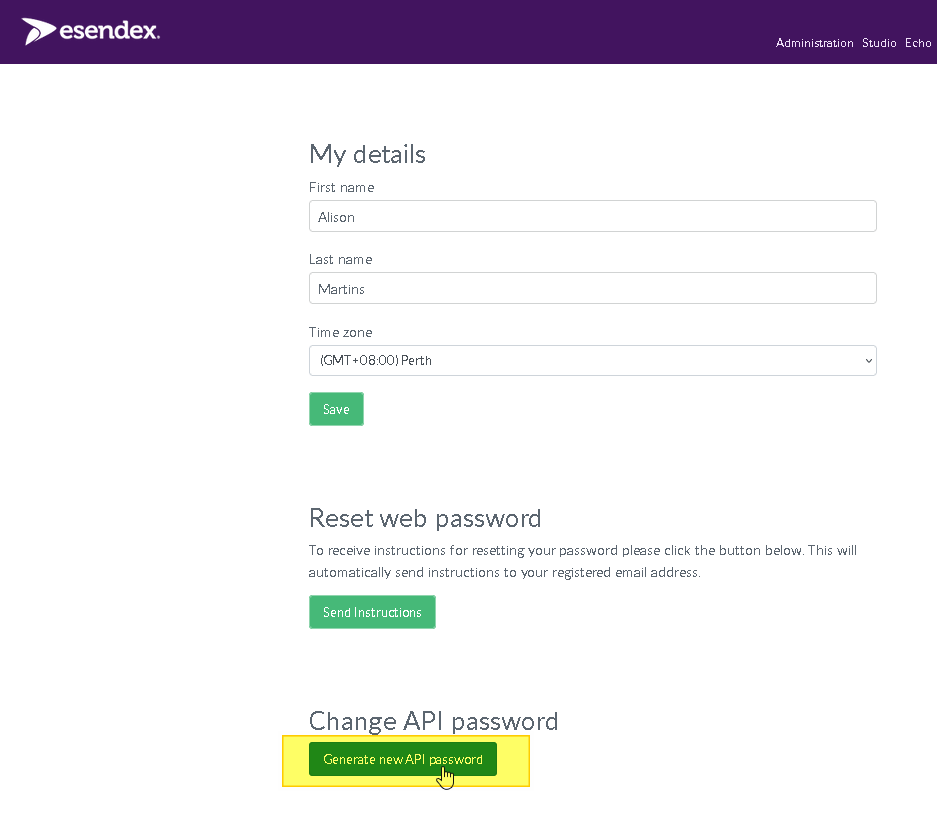
4. Copy the new API to your clipboard and save it in ESendex
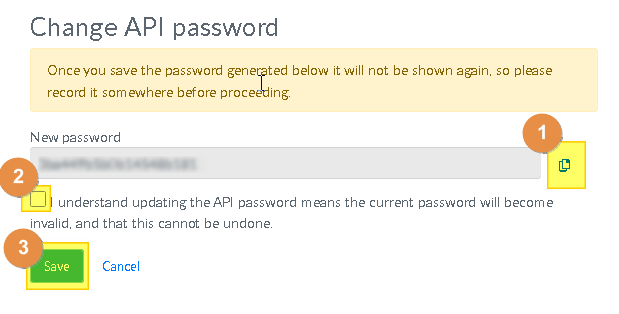
5. Update PowerPro SMS settings to reflect the new ESendex API (paste the API password)
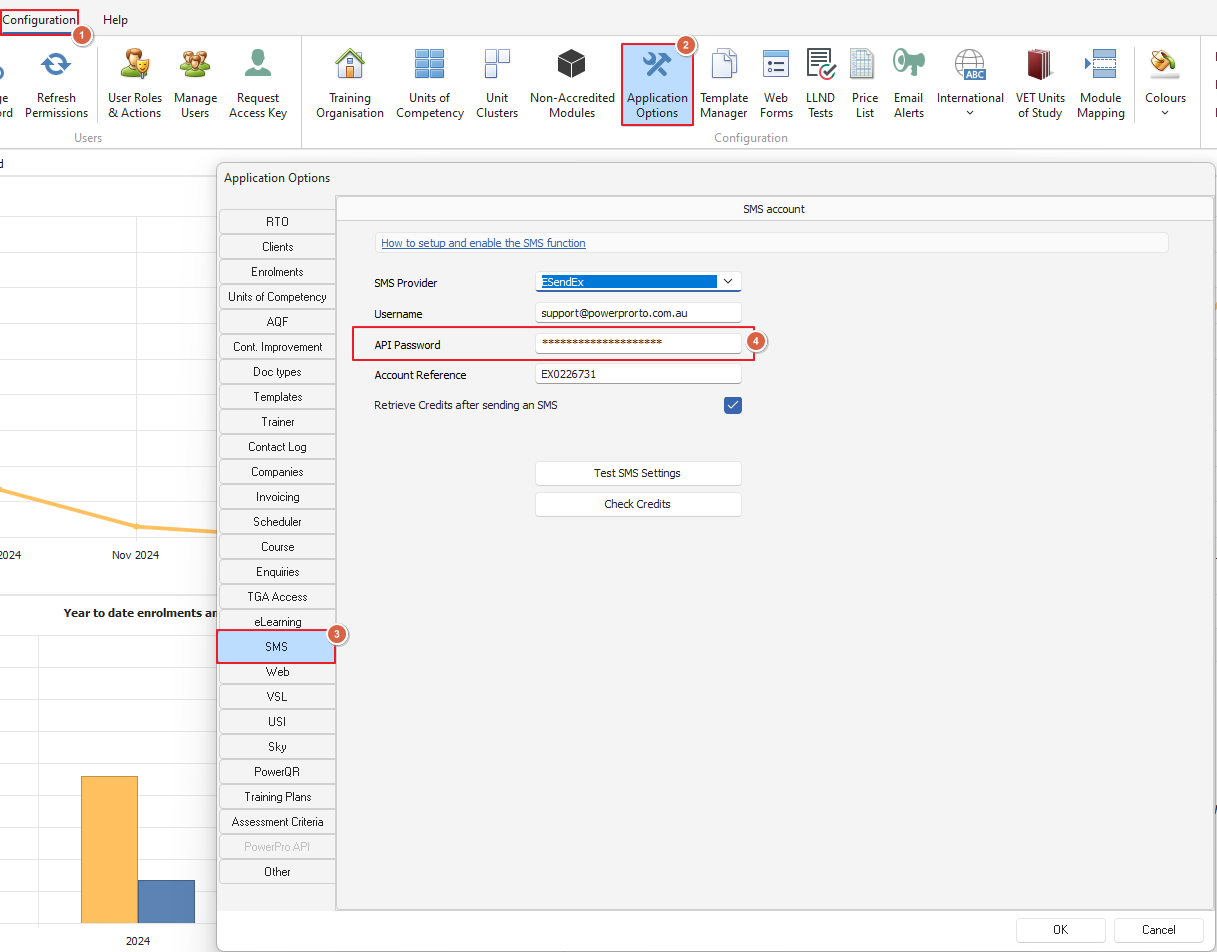
While you are here, it's worth double checking the PowerPro SMS Username (email address) and Account Reference (EX.....) match what's in the ESendex web page
6. Log out and back in to PowerPro to test the new settings